



Affinity Designer vs. Adobe Illustrator: Which Is Better?
- Art /EntertainmentProductivity
- September 14, 2023
- No Comment
- 23
Introduction: Meet the Contenders
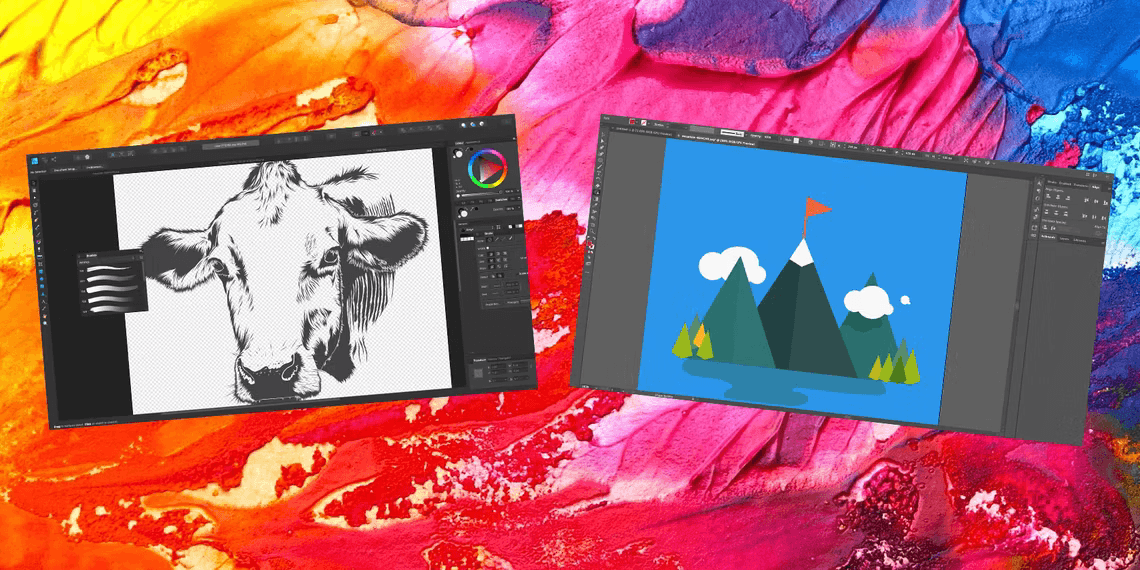
In the world of vector graphic design, Adobe Illustrator has held the throne for over three decades. Its dominance has made it the industry standard for creating vector-based artwork. However, a formidable challenger has emerged on the scene – Affinity Designer. This newcomer, while significantly more affordable, touts similar features and capabilities as Adobe Illustrator. In the ultimate showdown of Affinity Designer vs. Adobe Illustrator, we will dissect their strengths and weaknesses to determine which one emerges as the victor.
Price: Affinity Designer’s Affordable Edge
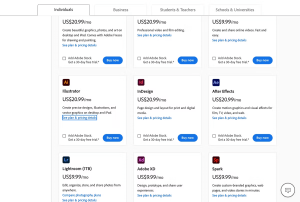
Affinity Designer is the clear winner when it comes to pricing. It offers a lifetime license with free updates for a mere $49.99, often available at a discounted price of $24.99. On the other hand, Adobe Illustrator follows a subscription-based model, requiring users to pay regularly. The most economical option for Illustrator is an annual prepaid plan costing $239.88 per year, equivalent to $19.99 per month. Affinity Designer’s pricing structure is not only budget-friendly but also provides a one-time payment, making it a more cost-effective choice.
Interface: The Close Match
Both Affinity Designer and Adobe Illustrator boast slightly cluttered interfaces due to their comprehensive toolsets. The abundance of features translates to a multitude of tools, menus, and options. Users have the flexibility to rearrange panels and elements to customize the interface to their preferences in both applications.

However, Affinity Designer holds a slight advantage in terms of interface intuitiveness. Its interface, though rich in features, appears slightly more straightforward, mainly due to its slightly fewer features compared to Illustrator. Both applications employ structured menus, and it’s worth noting that most keyboard shortcuts from Illustrator also work in Affinity Designer. One distinguishing feature of Affinity Designer is its use of color icons in contrast to Illustrator’s monochrome icons, which can make locating specific tools and functions more intuitive during design work. In this aspect, Affinity Designer takes a slight lead in user interface design.
Tools: Adobe’s Experience Shines
Adobe Illustrator claims victory in the tools department. Illustrator’s extensive experience and development shine through when comparing the toolsets of Affinity Designer vs. Adobe Illustrator. While Affinity Designer offers a respectable array of tools, Illustrator goes a step further by providing a broader spectrum of functionalities, which can be instrumental when working with vector graphics.
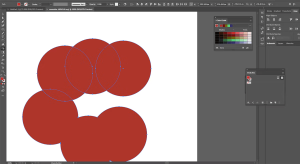
A noteworthy tool unique to Illustrator is the Shape Building Tool. This feature allows users to create complex shapes by combining simpler shapes using an intuitive click-and-drag method. In contrast, Affinity Designer offers something akin to Illustrator’s Pathfinder options, which permit users to select two or more shapes and then execute actions such as combining or subtracting portions of them.
Moreover, Illustrator offers a suite of advanced features that Affinity Designer currently lacks. Illustrator’s automatic tracing tool enables the conversion of raster images into vector graphics, a feature highly sought after by designers. Additionally, Illustrator provides a range of distortion and warp effects that are indispensable for creative projects. Affinity Designer is continually evolving and introducing new features, but it remains behind Illustrator in this aspect.
Compatibility: A Tie in Versatility
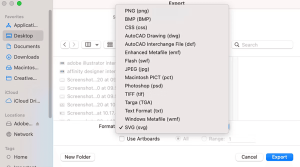
Both Affinity Designer and Adobe Illustrator exhibit compatibility in various dimensions. Both applications are available for macOS and Windows platforms, catering to a wide user base. Additionally, they demonstrate commendable versatility in terms of file format support, with Illustrator holding a slight edge due to its extensive compatibility.
Illustrator can import and export a broad range of file formats and has the capability to open files from other vector graphic software, such as CorelDRAW. Furthermore, Illustrator facilitates the export of AutoCAD files, expanding its utility in diverse design scenarios.
Affinity Designer, while supporting a multitude of common file formats, has limitations in cross-software compatibility. Files generated in Affinity Designer may not be fully compatible with Illustrator or other industry-standard vector design software. However, it offers the advantage of having separate licenses for macOS and Windows, providing flexibility to users on different operating systems.
In summary, both Affinity Designer and Adobe Illustrator shine in terms of compatibility. They seamlessly operate on multiple platforms and accommodate a wide array of file formats, with Illustrator having a slight edge in its ability to work with files from various vector graphic design software.
Learning Curve: Resources Favor Illustrator
The learning curve associated with vector design software can be steep, necessitating comprehensive resources and tutorials to unlock the full potential of these applications. In this realm, Adobe Illustrator enjoys a considerable advantage due to its extensive history and widespread usage.

Illustrator’s status as the industry standard has resulted in a vast repository of online resources, including official tutorials and user guides. Users can access a plethora of tutorials created by both professionals and enthusiasts, contributing to a rich learning ecosystem.
While Affinity Designer has made significant strides in developing its user community and providing its guides, it lags behind Illustrator in terms of the sheer volume of learning resources. Illustrator’s robust support infrastructure makes it more accessible to beginners and those seeking guidance on using the software effectively.
| Aspect | Affinity Designer | Adobe Illustrator |
|---|---|---|
| Price | Affordable lifetime license | Subscription-based pricing |
| Interface | Intuitive with color icons | Feature-rich but slightly cluttered |
| Tools | Extensive, but fewer than Illustrator | Comprehensive toolset |
| Compatibility | macOS and Windows, limited cross-software compatibility | macOS and Windows, broad file format support |
| Learning Curve | Requires tutorials but less extensive resources | Extensive resources and tutorials |
This table provides a concise overview of the key differences between Affinity Designer and Adobe Illustrator in various aspects. It can serve as a quick reference for readers to grasp the main distinctions between the two vector design software options.
Overall Winner: Adobe Illustrator
In the showdown between Affinity Designer vs. Adobe Illustrator, Adobe Illustrator emerges as the victor. Despite the significant price difference between the two applications, Illustrator offers a more comprehensive set of features, superior support infrastructure, and a more extensive set of tools, making it the preferred choice for professional designers and illustrators.

However, it’s essential to acknowledge that Affinity Designer caters to a different audience. Its affordability makes it an attractive option for amateur designers or those with budget constraints. Affinity Designer provides substantial savings without compromising essential design capabilities. For individuals looking for a cost-effective alternative, it presents a compelling choice.





