


Top 5 Tools to Repair Corrupted Files in Windows
- ProductivityTechnology Explained
- August 23, 2023
- No Comment
- 46
This article is designed for Windows users who have encountered corrupted or damaged files and are seeking solutions to recover and repair them. It benefits users who want to understand the reasons behind file corruption and learn about reliable tools to fix such issues effectively.
Understanding File Corruption
A computer file is like a puzzle, with each piece of data fitting together to create a cohesive whole. However, various factors can disrupt this harmony, leading to file corruption. This corruption can result from buggy software that writes files incorrectly, program crashes that disrupt file integrity, or even malicious viruses that intentionally damage files. When files become corrupted, they may display error messages like “The file is corrupt and cannot be opened,” leaving users frustrated and uncertain about how to proceed.
Top Tools for File Repair
When it comes to repairing corrupted files, having the right tools at your disposal can make all the difference. Let’s explore some of the top tools that have proven effective in recovering damaged data:
1. Stellar Microsoft Office Repair Toolkit
The Stellar Microsoft Office Repair Toolkit is a comprehensive solution for dealing with file corruption in the Microsoft Office suite. This toolkit consists of three utilities, each specializing in repairing a different file type: Word documents, Excel spreadsheets, and PowerPoint presentations. Whether you’re a business professional or a student, this toolkit can be a lifesaver when important files become corrupted. Notably, it can even repair password-protected files, making it a versatile choice.
2. Repair Toolbox: A Toolkit for Various Formats
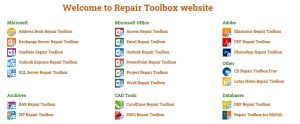
Repair Toolbox offers a diverse range of single-purpose utilities, each tailored to repair a specific type of file. With options for formats like Word, Excel, PowerPoint, Outlook, PDF, ZIP, and more, this toolkit is a valuable resource for anyone dealing with file corruption. While the demo versions have limitations, such as restricted saving, Repair Toolbox’s approach allows users to choose only the utilities they need, avoiding unnecessary clutter.
3. Hetman File Repair for Image Recovery
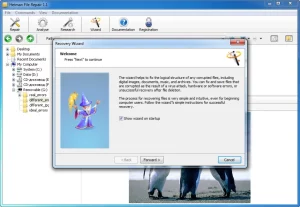
Sometimes, it’s not just documents that get corrupted—image files can also suffer. Hetman File Repair specializes in recovering damaged image files, including JPEGs, TIFFs, BMPs, and PNGs. Its user-friendly Wizard guides you through the process, making it accessible to users of all levels. With its ability to repair images without sacrificing quality, Hetman File Repair is a must-have for photographers, designers, and anyone working with visual content.
4. Digital Video Repair for Multimedia Files
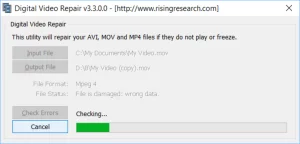
Digital Video Repair steps in when multimedia files, such as MP4, MOV, and AVI videos, encounter corruption. This free tool focuses on videos encoded in specific formats and ensures that repaired videos are smooth and playable. Keep in mind that it can’t create missing frames, but it can enhance video quality and playability, providing a solution for video enthusiasts facing file-related issues.
5. Using System File Checker for System-Level Issues
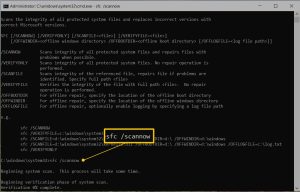
For system-level file corruption, the built-in Windows utility, System File Checker, comes to the rescue. Whether it’s a system error or bad configuration causing issues, this utility can scan and repair corrupted system files. Using it is straightforward—simply launch an elevated Command Prompt and execute the “sfc /scannow” command. System File Checker is an essential tool for maintaining a stable and functional Windows environment.
Conclusion
File corruption is a common issue that can disrupt your work and cause frustration. Thankfully, a range of tools is available to help you recover and repair corrupted files in Windows. From specialized toolkits for Microsoft Office files to utilities dedicated to multimedia and system-level issues, these tools provide valuable solutions for different scenarios. By understanding the causes of file corruption and using the appropriate tools, you can navigate this challenge with confidence and restore your important data. Remember, the road to successful file recovery starts with choosing the right tools and keeping your expectations grounded.





